Click here for help.
How to...
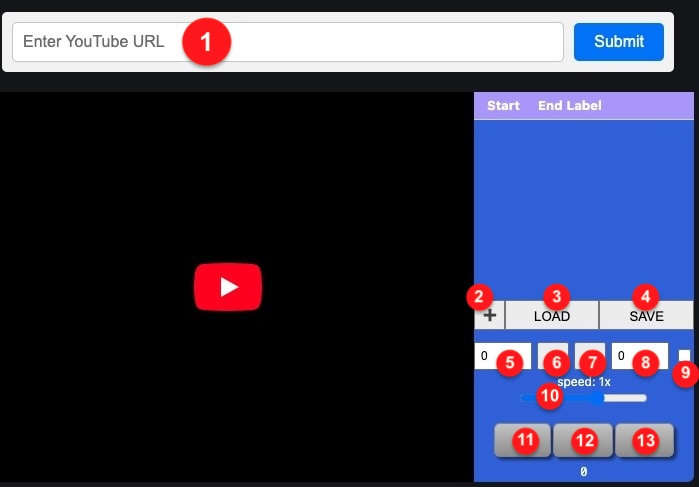
- Submit a Youtube video URL.
- Use the play/pause/stop buttons to control playback
- Use slider to control playback speed
- Use A and B buttons to set beginning and end time of the loop
- Adjust the time intervals with clik+drag in the input field
- Toggle looping on/off
- "+" button adds the loop to the list"
- SAVE button saves the list content to disk
- LOAD button loads the list content from disk and loads the video
- click on the time of each element of the list to select the playng loop
Contacts: info@youlooper.it
Questo sito al momento non utilizza cookie di profilazione.